The nomad app stack, audited: what to keep, cut, and consolidate
By Sébastien Arbogast, founder of Skaoot“What’s in your stack?” comes up in every nomad community I’ve been part of, and the replies are always the same shape: a list. Fifteen apps, twenty apps, a screenshot of a home screen with three folders all called Travel. Nobody ever says which of those apps they’d delete tomorrow without noticing.
That’s the piece I want to write. Not another “30 best travel apps” listicle, which you can get anywhere, but an audit: the layers a nomad’s stack actually has, the apps that usually sit in each layer, and a verdict for each one. Keep it, cut it, or consolidate it into something that already does the job.
A disclosure before the verdicts, since I’m the person who builds Skaoot and it appears in one of the layers below. I’ve tried to grade it by the same rules as everything else, including the things it doesn’t do. If you think I’ve been soft on it, the comparison pages go a level deeper on each rival and say plainly who each one is best for.
The three questions the audit asks
Every app below gets the same three questions. They’re the ones I’d ask about any tool I carry across a border.
- Does it do a job nothing else on my phone does? If two apps do the same job, one of them is a habit, not a tool.
- Does it need me to maintain it? An app that only stays correct if I keep feeding it is a chore with an icon. The chores are where nomad stacks quietly rot.
- Does it know about the rest of my trip? This is the question most lists skip. A flight tracker that doesn’t know where you’re staying can’t tell you when to leave. A calendar that doesn’t know your flight moved keeps showing the old time with total confidence.
Three verdicts: keep (it earns its place), cut (it’s a duplicate or a habit), consolidate (the job is real, but it belongs inside something that already knows your trip).
Layer 1: booking, where you buy
Google Flights, Skyscanner, Kiwi, Booking.com, Airbnb, Trainline or Omio for rail, a rental broker or two. Every nomad has some version of this set, and none of it is controversial.
Verdict: keep, with one rule. These are search tools, and they’re good at searching. The trap is letting them become your itinerary. Each one only knows what you booked through it, so a trip booked across five of them lives in five places, and the “My trips” tab in each is a partial picture that looks complete. Buy wherever is cheapest. Then get the confirmation out of that app and into the layer below, where the whole trip lives.
One note on separate tickets, whoever sold them: the booking site is excellent at finding the cheap self-transfer route, and it’s on you to remember that a separate ticket stays separate when leg one runs late. Watching that connection is a job for layer 3.
Layer 2: the itinerary, where the trip lives
This is the layer the whole audit is really about, because it decides whether the other layers can talk to each other. It’s also the layer with the most contenders, so I’ll take them one at a time.
The spreadsheet, or the Notion page. More nomads run on this than will admit it, and I understand why: it’s the only tool that never refused a booking type. Verdict: consolidate. It fails question two completely. Every booking is a copy-paste, every change is a manual edit, and the sheet is only ever as current as your last tired evening. I wrote about why nomads end up here: most itinerary apps assume one trip is one destination, a rolling multi-country route breaks that model, and people fall back to the one tool that has no model at all.
Calendar entries. The same story with a nicer interface. A calendar is a fine place to see your week; it’s a poor home for a door code, and it has no idea your flight was retimed. Verdict: consolidate. (If your whole system is folders plus calendar plus a cloud drive, the DIY comparison adds up what that costs in hours.)
TripIt. The app that invented the forward-an-email category in 2007, and still the cheapest paid option: Pro is about $49 a year, annual only. Honest credit: it’s mature, it’s familiar, the basic flow works, and its one-tap calendar export has been around forever. Where it shows its age is exactly where nomad travel is hardest. It parses by template, so smaller providers get missed; it bundles bookings into trips, which gets awkward on a long route; and an update email often lands as a second trip instead of correcting the first. Verdict: keep if your trips are simple round trips; consolidate if your plans change. The full TripIt comparison.
Tripsy. A genuinely beautiful organizer, with a generous free tier, built-in expenses with currency conversion, trip collaboration, and Apple Watch complications. It’s also Apple-only: no Android, no web. Its parsing runs through partners covering around a thousand providers, and it files bookings into trip containers. Verdict: keep if you’re all-Apple and want planning plus expenses in one app; cut if anyone in your travel life carries an Android phone. Skaoot vs Tripsy.
Wanderlog. The best tool in this list for planning a trip with other people: real-time co-editing, map-driven, route optimization, a generous free tier. It’s a planning artifact rather than an execution timeline. Once the trip is booked, it doesn’t track flights live or merge changes. Verdict: keep for the planning phase; it doesn’t replace this layer for the trip itself. Plenty of people use it alongside an execution tool, and that’s the right pairing. Skaoot vs Wanderlog.
Kayak Trips. Free, already installed if you use Kayak, and a serviceable chronological view of what you booked through Kayak. Book elsewhere and expect gaps. Verdict: cut, unless Kayak is where you book everything. Skaoot vs Kayak Trips.
Skaoot. Mine, so read this with the disclosure in mind. Forward any confirmation email (flight, stay, train, vehicle rental, visa, travel authorization, arrival card) and it lands on one continuous timeline, no trip containers, however many countries the route crosses. It reads the content of the email rather than matching a template, so the regional airline and the coliving with a one-page website work like the big brands. When a change email arrives, it’s merged into the booking it belongs to instead of spawning a duplicate. And because your stay and your flight sit on the same timeline, it can do the things question three asks about: drive time to the door when you land, leave-for-airport timed against real traffic from where you’re actually staying, the door code on screen at the front door. It runs on iPhone, Android, iPad, Mac, and any browser.
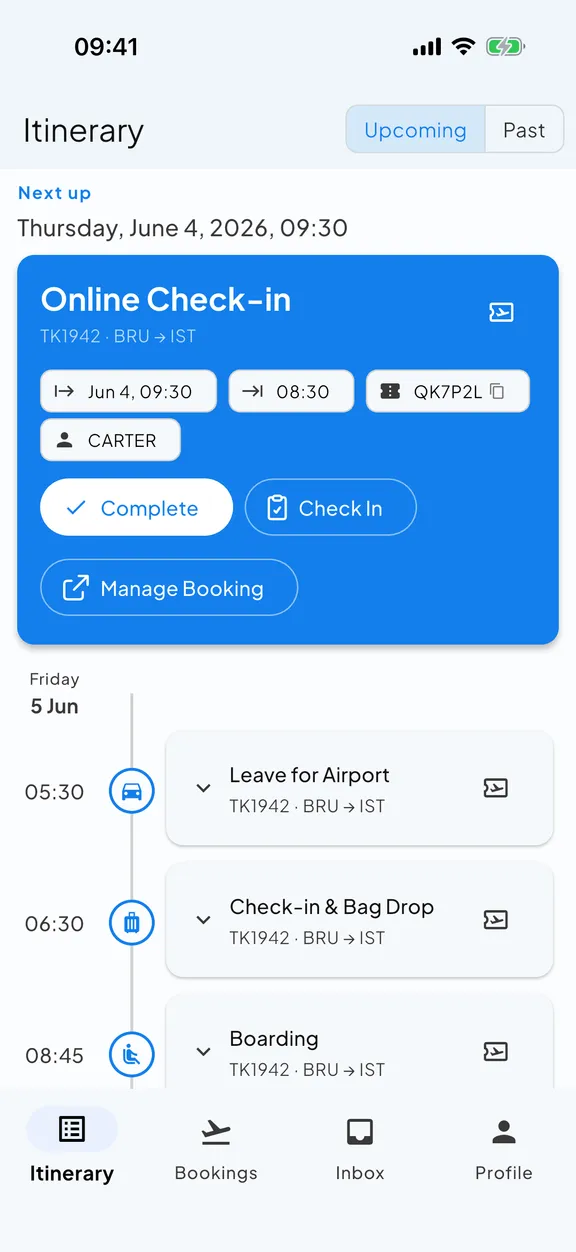
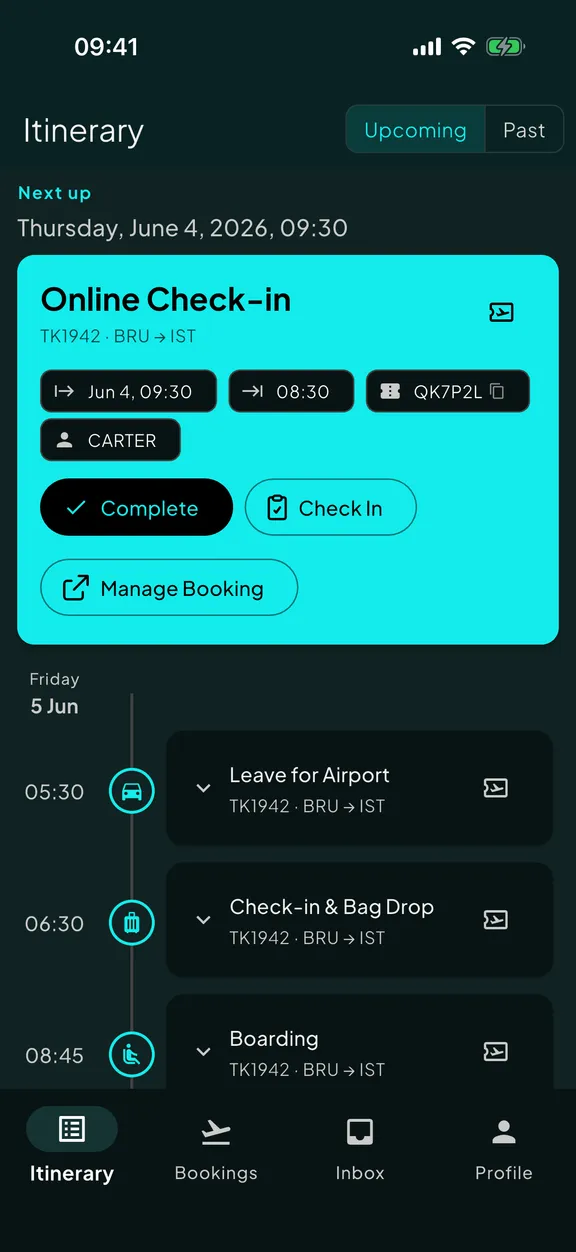
What it doesn’t do, so you can grade it fairly: no expense tracking, no group collaboration (it’s single-user today), no calendar export, no live tracking for trains yet, and the free tier is five lifetime bookings rather than the generous ones Tripsy and Wanderlog offer. Premium is €8.99 a month or €69.99 a year, more than TripIt or Flighty. Verdict: this is the layer I built it for, so: keep, if your travel is frequent, spread across many providers, and prone to change. If it isn’t, one of the cheaper tools above is honestly fine.
Whatever you pick for this layer, pick one. Two itinerary tools is the same failure as a spreadsheet plus a calendar: two copies of the truth, and you’re the one keeping them in sync.
Layer 3: flights, and who tells you about changes
Airline apps. One per airline, each with its own login and its own notification settings. They’re the only place to check in with some carriers, the boarding pass often lives there, and they’re where you rebook when a flight is cancelled. Verdict: keep the one for this week’s airline, cut the other six, and stop treating any of them as your source of change notifications. Most travelers turn airline notifications off because of the marketing, then miss the gate change that came through the same pipe. Which is why the next tool exists.
Flighty. The best dedicated flight tracker there is, and it isn’t close: FAA and Eurocontrol feeds, delay predictions that often fire before the airline admits anything, live aircraft maps, a lovely aviation-native interface. Apple-only, and flights-only, by design: it has no idea where you’re staying, so it can’t tell you when to leave for the airport. Verdict: keep if you’re a pure frequent flier or you love the aviation depth; consolidate if your itinerary tool already tracks gates, delays and connections live, because then you’re paying twice for the same push. Both are valid, and some people run both. Skaoot vs Flighty.
Flightradar24 or FlightAware. For watching a plane that isn’t yours: the inbound aircraft, a friend’s arrival. Verdict: keep as a browser tab, cut as an app. It doesn’t need a place on your home screen.
The rule for this layer: exactly one thing should be responsible for waking you up about a flight. If two apps both push gate changes, you’ll mute one at six in the morning and it will be the wrong one.
Layer 4: arrival, the first hour in a new country
This is the layer where most “best apps” lists get it right, so I’ll be quick and mostly agree.
- Google Maps, with the city downloaded offline before you land. Keep. The offline download is the whole tip: do it on the WiFi the night before.
- An eSIM app. Airalo is the common one, and there are several. Keep, and buy the plan before you land, so the map above works the moment airplane mode goes off. This is the closest thing the community has to a ritual, and it deserves to be.
- Ride-hailing. Uber where it operates, Bolt across much of Europe and Africa, Grab in Southeast Asia. Keep whichever the destination uses; you’ll find out in the arrivals hall either way.
- Google Translate, with the language pack downloaded. Keep.
The thing none of these do, and the reason layer 2 matters here, is know where you’re going. You still land, open your inbox, find the Airbnb email, copy the address, paste it into Maps. If your itinerary layer knows your stay, that step disappears: the address and the drive time are on screen when you land, and the door code is waiting when you get there. That’s a right-detail-at-the-right-moment problem, not a maps problem.
Layer 5: money and documents
- A multi-currency account. Wise, Revolut, or your local equivalent. Keep. Nothing else in the stack saves you more per year.
- A currency converter app. Cut. Your bank app already shows the rate, and so does a web search.
- A bill-splitting app. Splitwise or similar. Keep only if you travel with people; otherwise it’s clutter.
- Your phone’s wallet for boarding passes and rail tickets. Keep. A pass in Apple Wallet or Google Wallet works at the gate with no signal and no app open.
- A cloud folder with your passport scan, visa PDFs and vaccination record. Keep, and make sure it’s available offline. If your itinerary tool keeps the tickets and vouchers on the booking itself, this folder becomes the backup instead of the primary, which is the right way round.
- A password manager. Keep. Every airline app above has its own login; this is what makes “one per airline” bearable.
- A tracker in your checked bag. AirTag or the Android equivalent. Keep. The community endorses this one for a reason: it turns “where’s my bag” from a feeling into a dot on a map.
What a consolidated stack looks like
After the audit, a nomad’s working stack is shorter than the one they started with, and every item in it answers at least two of the three questions:
- The booking sites you already use, as search tools, not itineraries
- One itinerary tool that reads forwarded confirmations, merges changes, and knows about all your bookings
- This week’s airline app, for the boarding pass and the rebooking desk
- A dedicated flight tracker only if you want aviation depth on top of what the itinerary tool does
- Maps offline, an eSIM, ride-hailing, translation
- A multi-currency account, the phone’s wallet, a password manager, an offline document folder, a bag tracker
Ten or eleven apps, not twenty. The cuts were the duplicates; the consolidations were the chores. What’s left is a stack you don’t have to maintain, which is the only kind that survives month four of a long route.
Quick answers
What apps do digital nomads actually need?
Do I need both a flight tracker and an itinerary app?
What is the best itinerary app for digital nomads?
Is a spreadsheet a bad way to manage a nomad itinerary?
Where to start
Run the audit on your own home screen. For every travel app, ask the three questions, and be honest about which ones are habits. If the itinerary layer is the one that fails, it’s also the cheapest to fix: forward your next confirmation email to Skaoot and see whether it holds the trip well enough to retire the sheet. It’s free for your first five bookings, about two destinations, and here’s how it works. If Skaoot turns out not to be the right pick for you, the comparison pages are honest about who each alternative is best for, and the features overview says exactly what it does and doesn’t do.
Tired of holding your whole trip in your head?
Skaoot turns forwarded booking emails into one calm timeline of flights, stays, and more. It updates itself when plans change. Free for your first 5 bookings.